








Secure Shopping
Products from authorized providers at fair prices.
Step into EA’s legendary gaming universe on PC, take your place on the field, or lead the charge in galactic battles with total security! The EA Play / EA Origin Cash Card is a digital wallet card that allows you to purchase games, add-ons, and subscriptions on Electronic Arts’ PC gaming platform, the EA App (formerly Origin).
The EA Gift Card is your key to all of EA’s digital content on PC - no credit card required. Simply top up your EA Wallet and spend your funds however you like.


With your EA Gift Card funds, you can unlock these iconic titles and content on the EA App:
EA SPORTS FC (FIFA) Series: Bring the thrill of football to your PC. Buy the latest FC games or boost your Ultimate Team with FC Points.
The Sims 4: Create your dream world! While the base game is free, you can use your funds for the latest Expansion Packs, Game Packs, and Stuff Packs.
Apex Legends: Become the champion of the arena! Convert your funds to Apex Coins and grab the coolest character skins and the Battle Pass.
Battlefield Series: Dive into the heart of tactical warfare. Instantly access Battlefield 2042 and other classics from the series.
Star Wars Jedi: Survivor & Fallen Order: Experience an epic story as a Jedi shaping the fate of the galaxy.
Need for Speed: Burn rubber on the streets, collect the fastest cars, and rise to the top of the modding world.
Subscription Freedom: Use your funds not just for games, but also to start an EA Play subscription and get unlimited access to hundreds of games.
Secure Shopping: No need to save your credit or bank details on the EA App - just enter your code and top up your funds instantly.
Budget Control: Spend only the amount loaded on your card and easily manage your gaming expenses.
Full PC Platform Compatibility: Valid for all content (games, DLCs, virtual currencies) on the EA App, previously known as Origin.


| Feature | Detail |
| Platform | PC (EA App / Origin) |
| Content | EA Wallet Credit |
| Usage | Games, DLCs, In-Game Currencies, EA Play Membership |
| Delivery | Instant Digital Delivery |
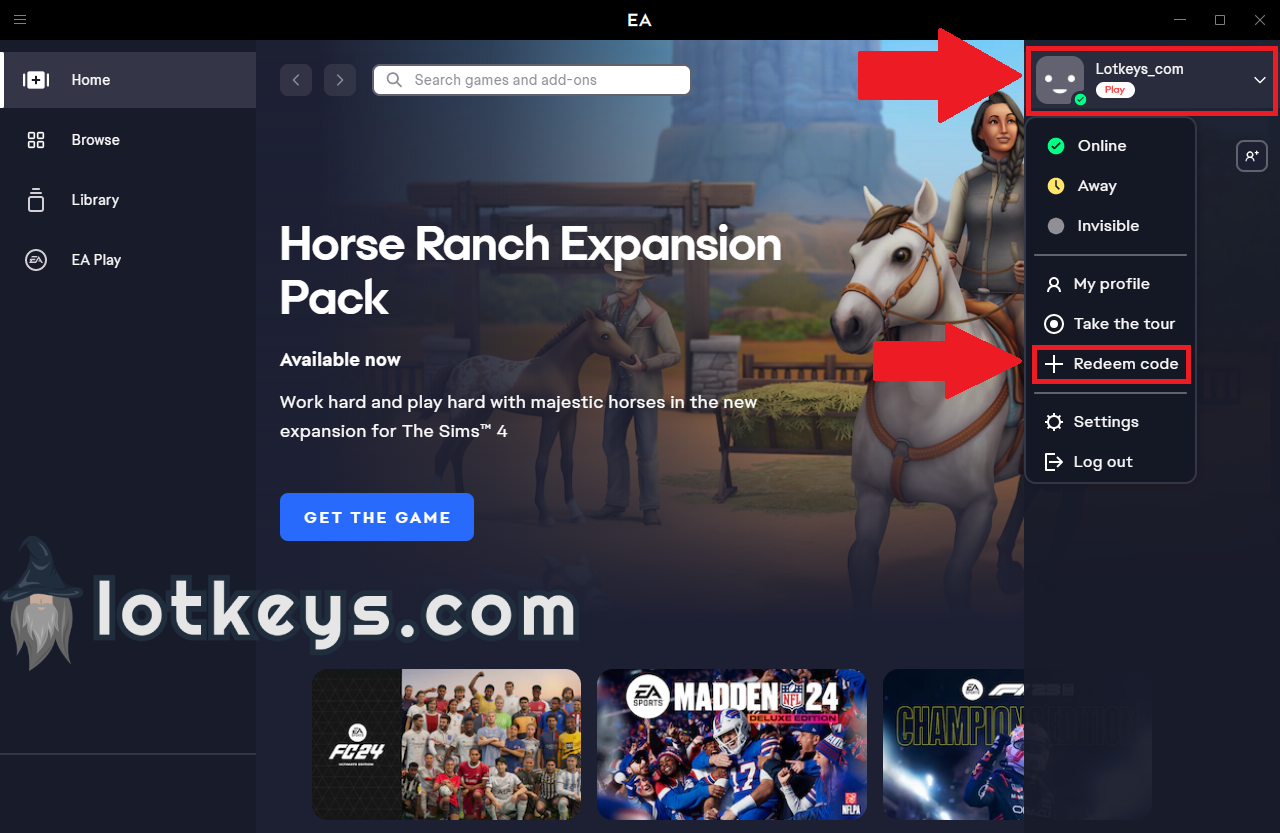
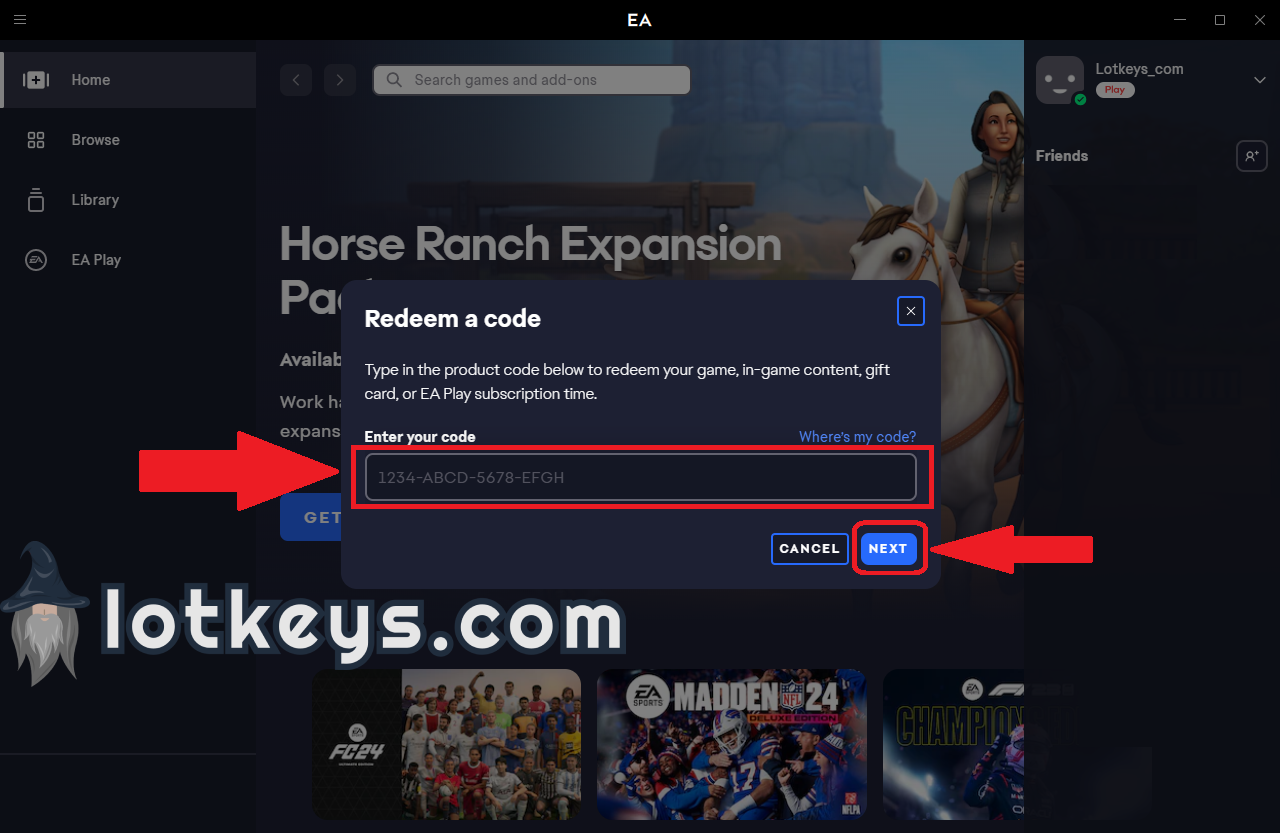
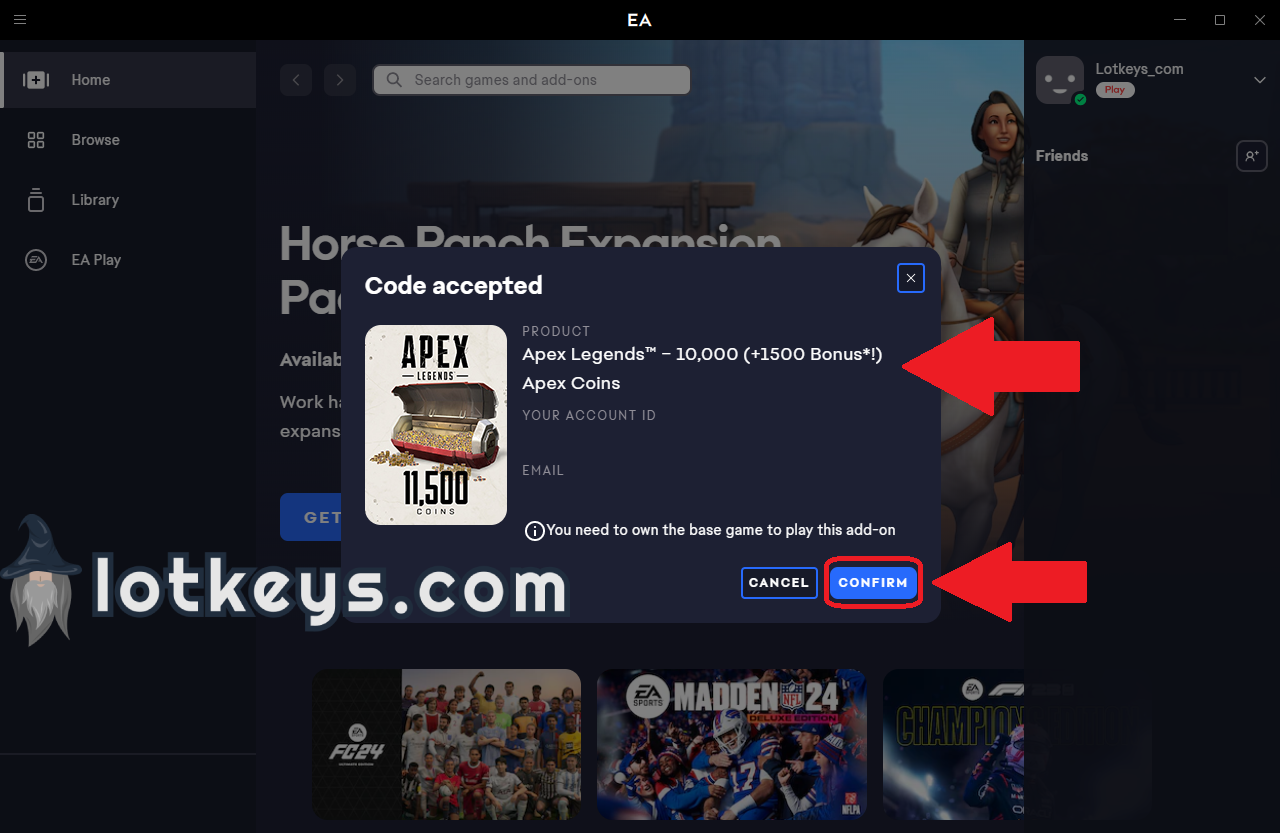
Using the EA Application to Redeem a Code
1. Click on the profile icon in the upper-right corner, then click on the "Redeem Code" button.
2. Enter the purchased code and click on the "NEXT" button.
3. Review the product and activate it by clicking the "CONFIRM" button.
Using a Web Browser to Redeem a Code
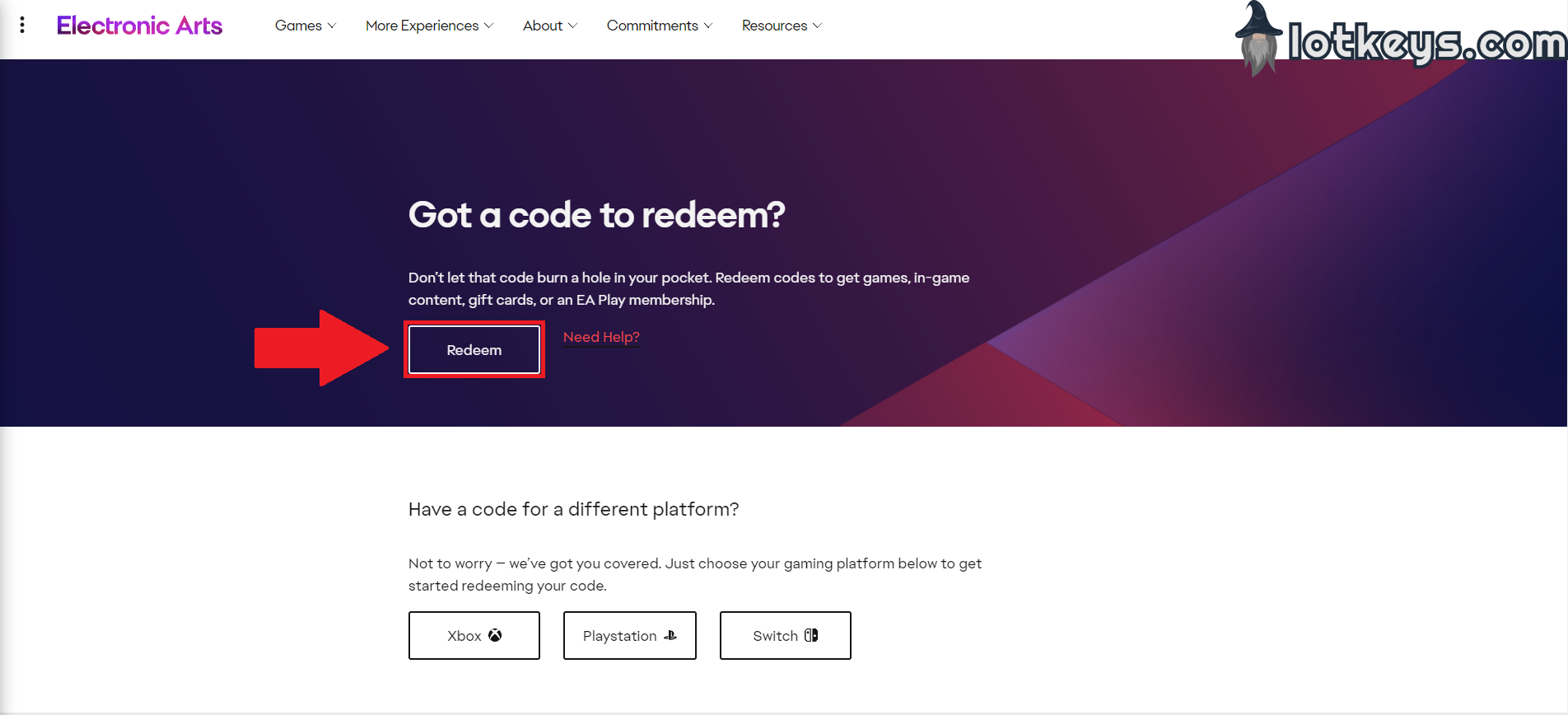
1. Go to ea.com/redeem page and click on the "Redeem" button.
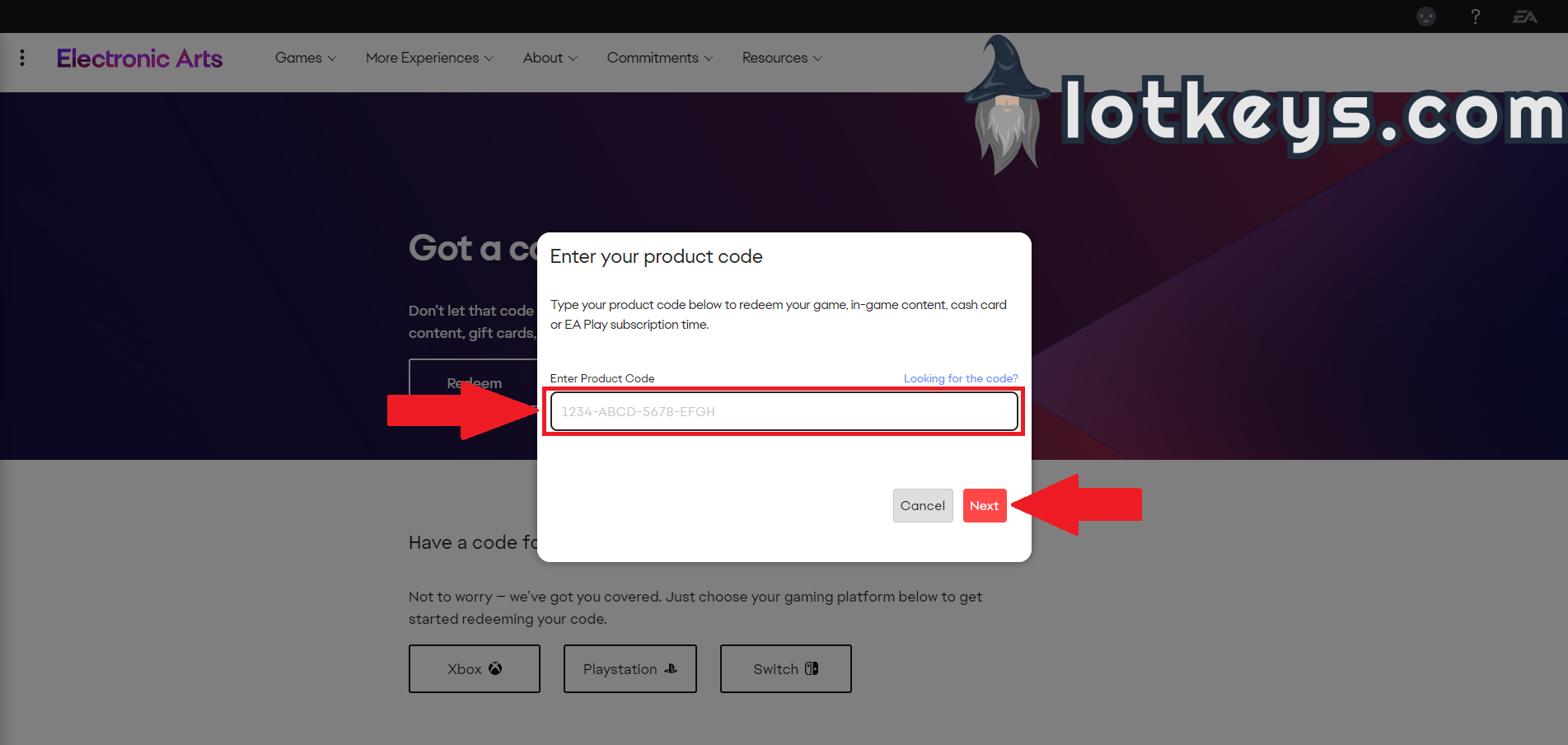
2. Enter the purchased code and click on the "NEXT" button.
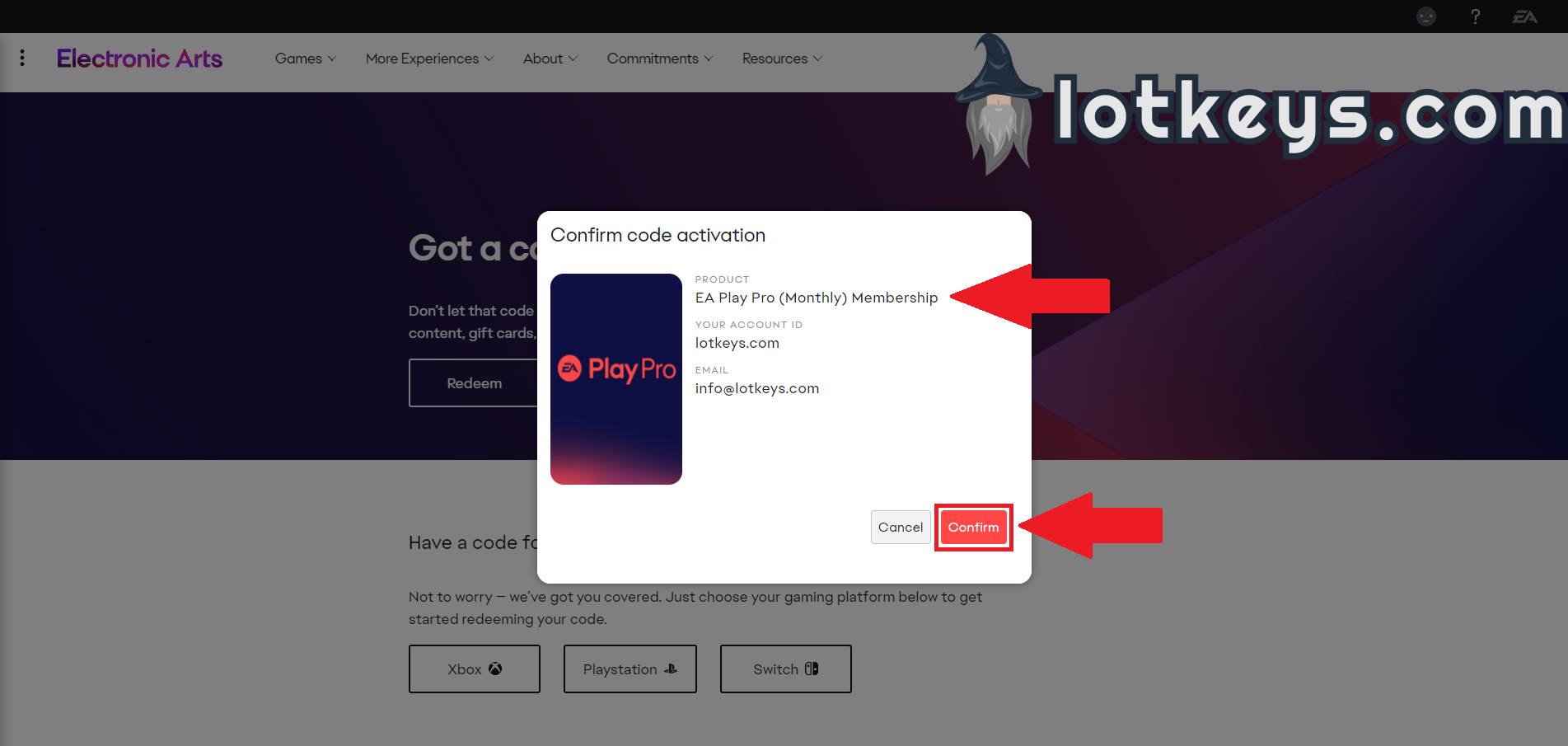
3. Review the product and activate it by clicking the "CONFIRM" button.
Products from authorized providers at fair prices.
24-Hour Nonstop and Fast Delivery Service.
24/7 Support Center
100% Satisfaction Guaranteed
EA Play Origin Cash Card (EUR) Comments