










Secure Shopping
Products from authorized providers at fair prices.
Are you ready to face nature in its purest and most challenging form? Cairn invites you on a unique journey that immerses you in the mind and strength of a climber, letting you feel the thrill of survival and climbing discipline to your core. With Cairn - Key, you can instantly join this vertical adventure and carve your name into peaks that push your limits.
Developed by The Game Bakers (Furi and Haven creators), Cairn takes traditional survival games to a vertical dimension. This is more than just a game; it’s a strategic simulation where every grip, every move, and every breath must be calculated.


Free Climbing System: Take full control of where Aava places her hands and feet. There’s no simple "climb" button; every move depends on your instincts.
Resource Management: Looking up isn’t enough. Your chalk, water, and pitons are limited. Choose your camp sites wisely and save your energy for the summit.
Battling the Elements: Changing weather, slippery surfaces, and unexpected obstacles nothing comes easy on the mountain. You’ll have to earn every inch.
Emotional Storytelling: Discover why Aava is determined to conquer this impossible peak and witness the true limits of human willpower.
Instant Access: Add the game to your library and start downloading in seconds with your digital key.
Permanent Ownership: No need for physical copies your game stays safe in your digital account at all times.
Performance and Updates: Games activated with a key receive all published patches and additional content automatically.
Easy to Gift: The perfect digital present for any friend who loves climbing and adventure.

| Feature | Details |
| Platform | PC (Steam / Epic Games) |
| Genre | Climbing, Survival, Simulation |
| Developer | The Game Bakers |
| Delivery | Instant Digital Activation Key |
| Language Support | Multiple Language Options |
Redeeming your Cairn key is quick and easy. Just follow these simple steps:
Start the Steam application on your computer.
Make sure you are logged in to your Steam account.
(You can check your profile name at the top right corner of the Steam client.)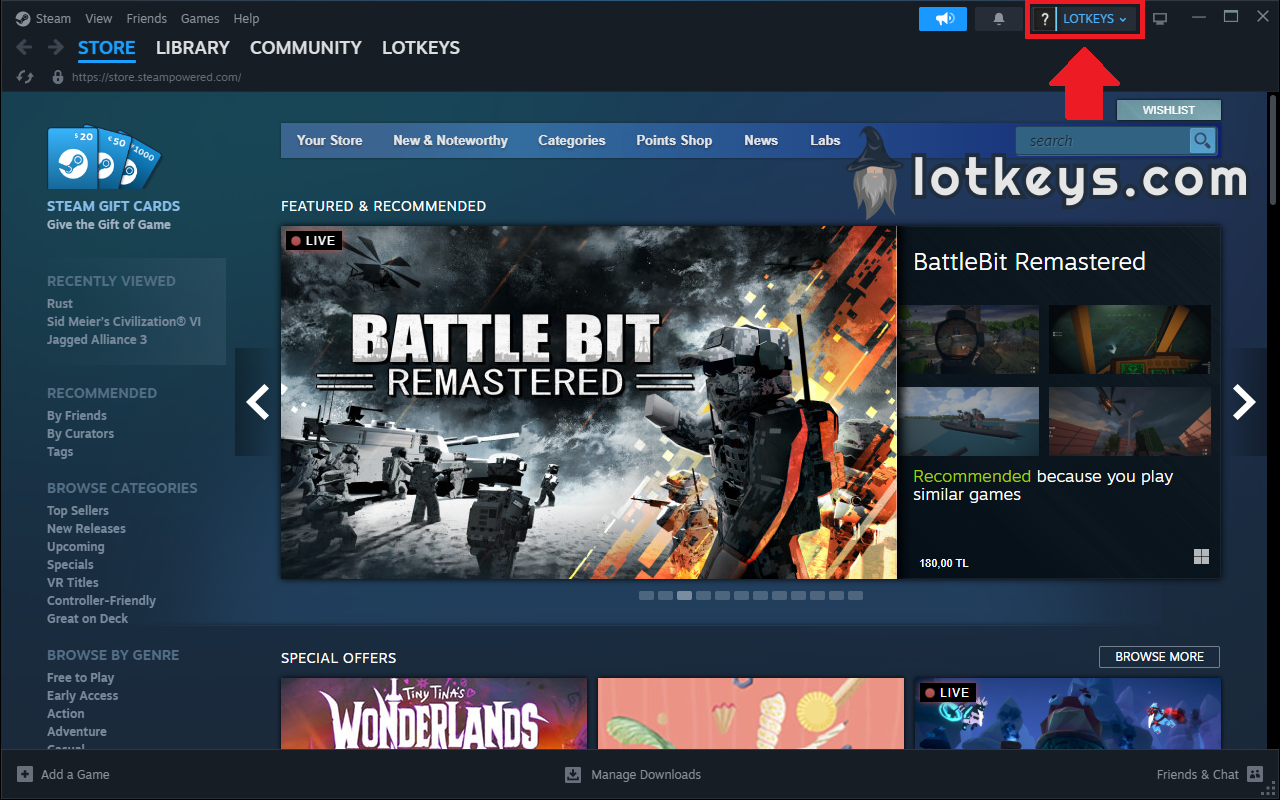
Click on your profile name in the top right corner.
From the dropdown menu, select "View My Wallet".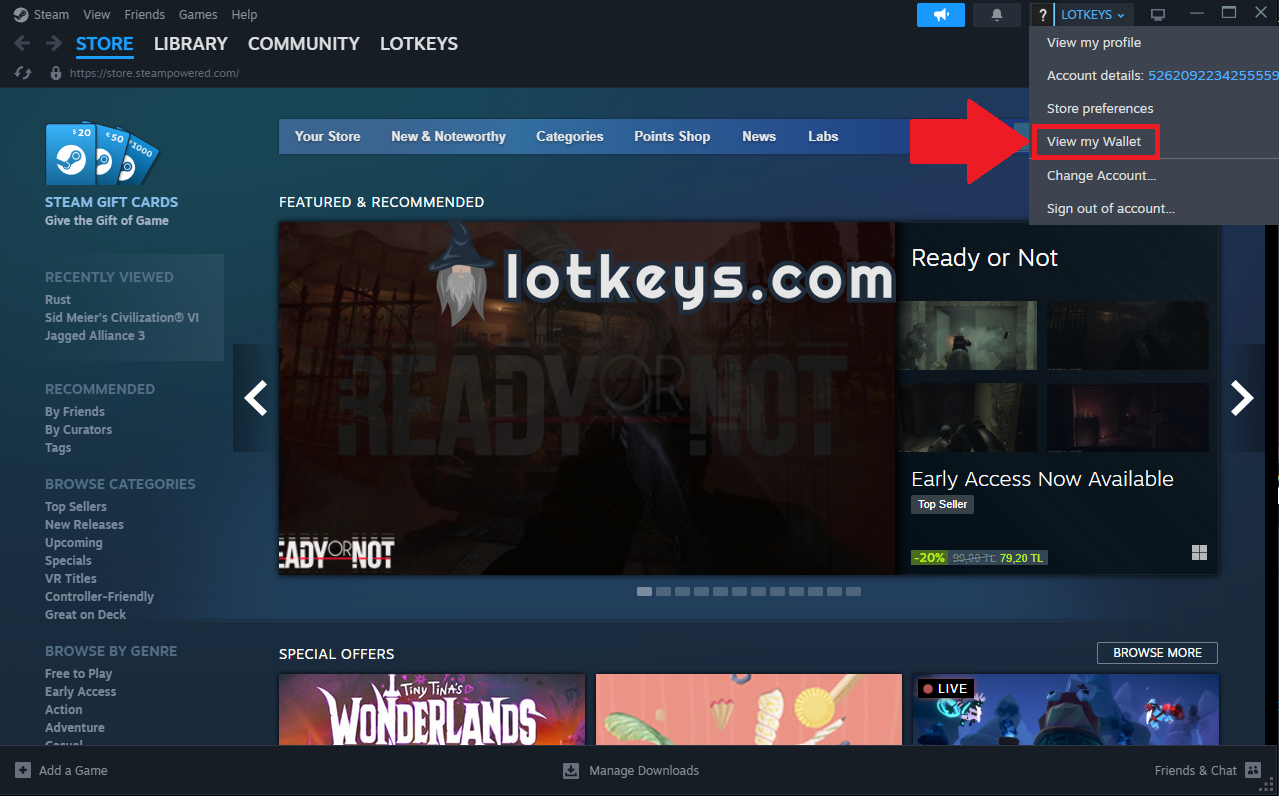
On the wallet page, click on "Redeem a Steam Gift Card or Wallet Code".
Enter the code you received and confirm.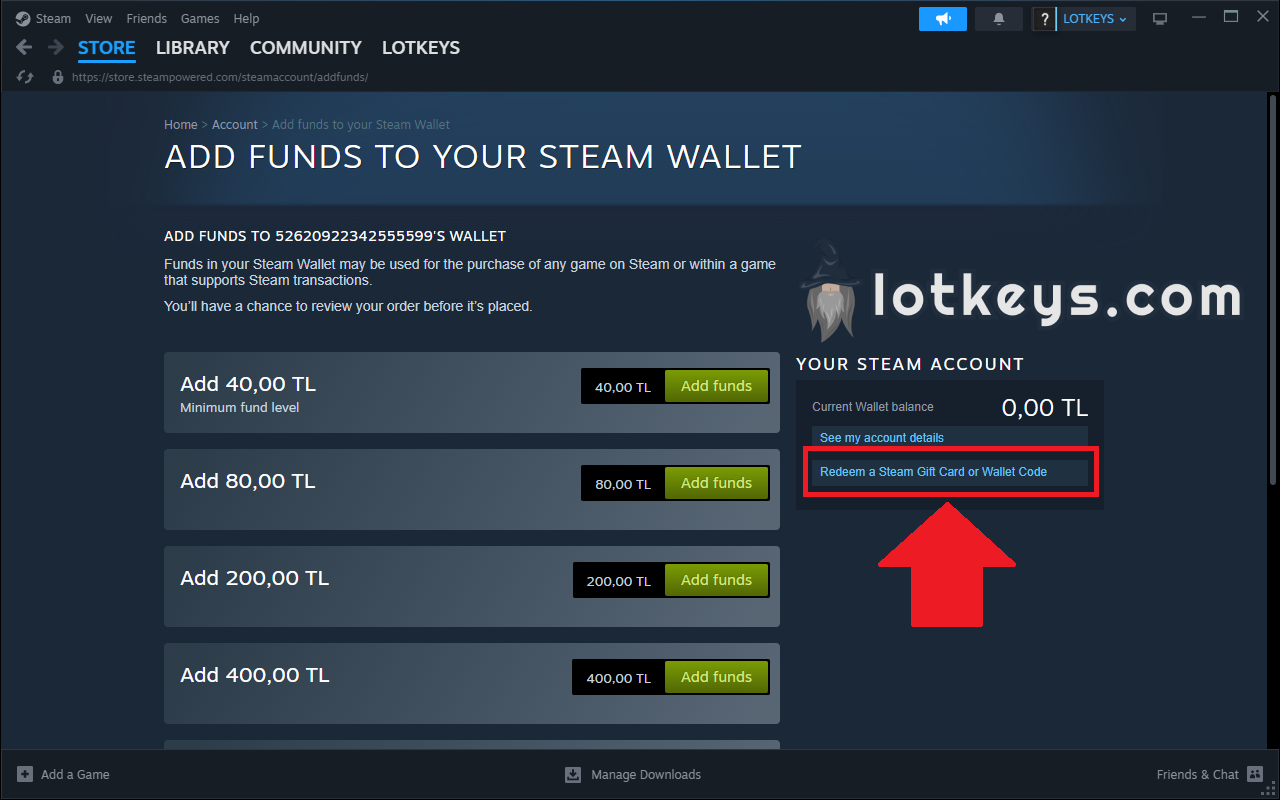
The amount will be instantly added to your Steam Wallet.
You can now use these funds to purchase games, DLC, or in-game content.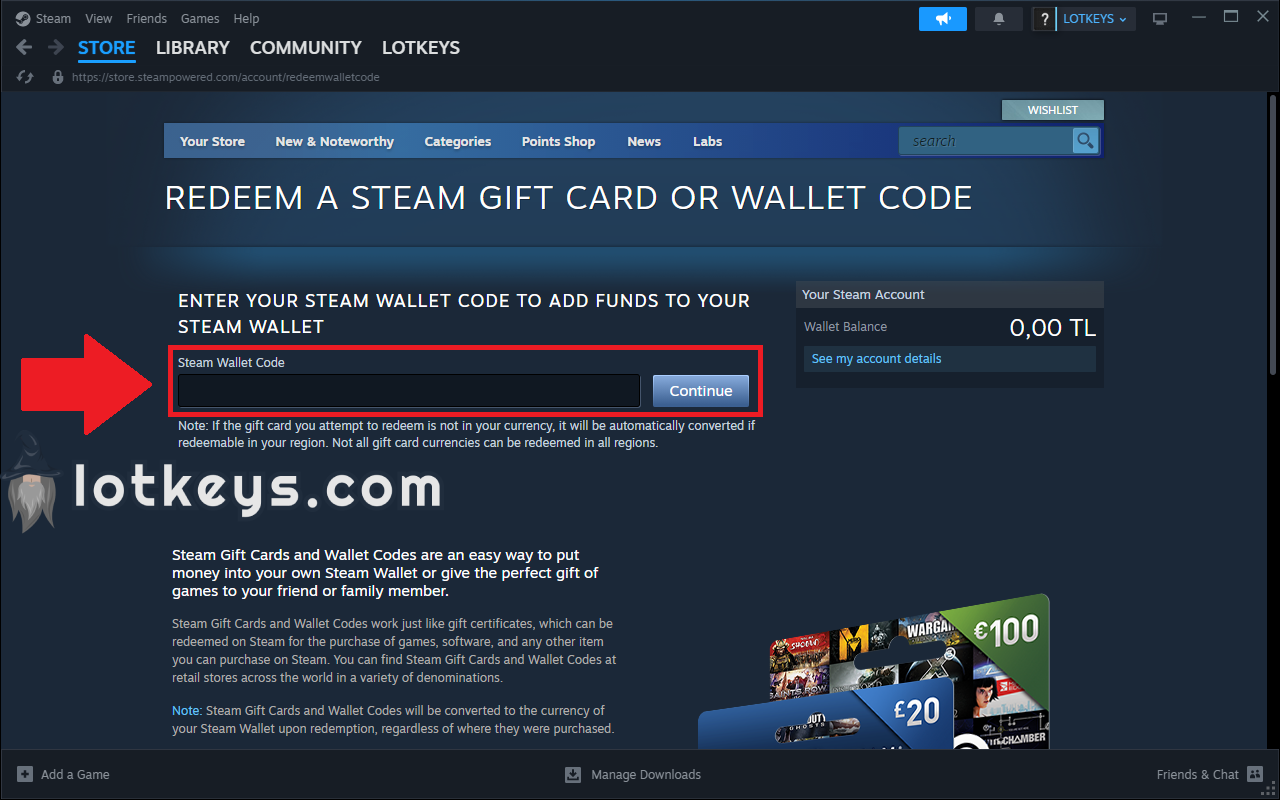
Tip: Make sure to enter the code exactly as shown (including dashes if present).
Products from authorized providers at fair prices.
24-Hour Nonstop and Fast Delivery Service.
24/7 Support Center
100% Satisfaction Guaranteed
Cairn - Key Comments