


EA FC 27 Goal Celebrations: All PlayStation and Xbox Button Combos
How do you perform goal celebrations in EA FC 27? Find every PlayStation and Xbox button combo for running, finishing, and all-new celebrations in this guide.
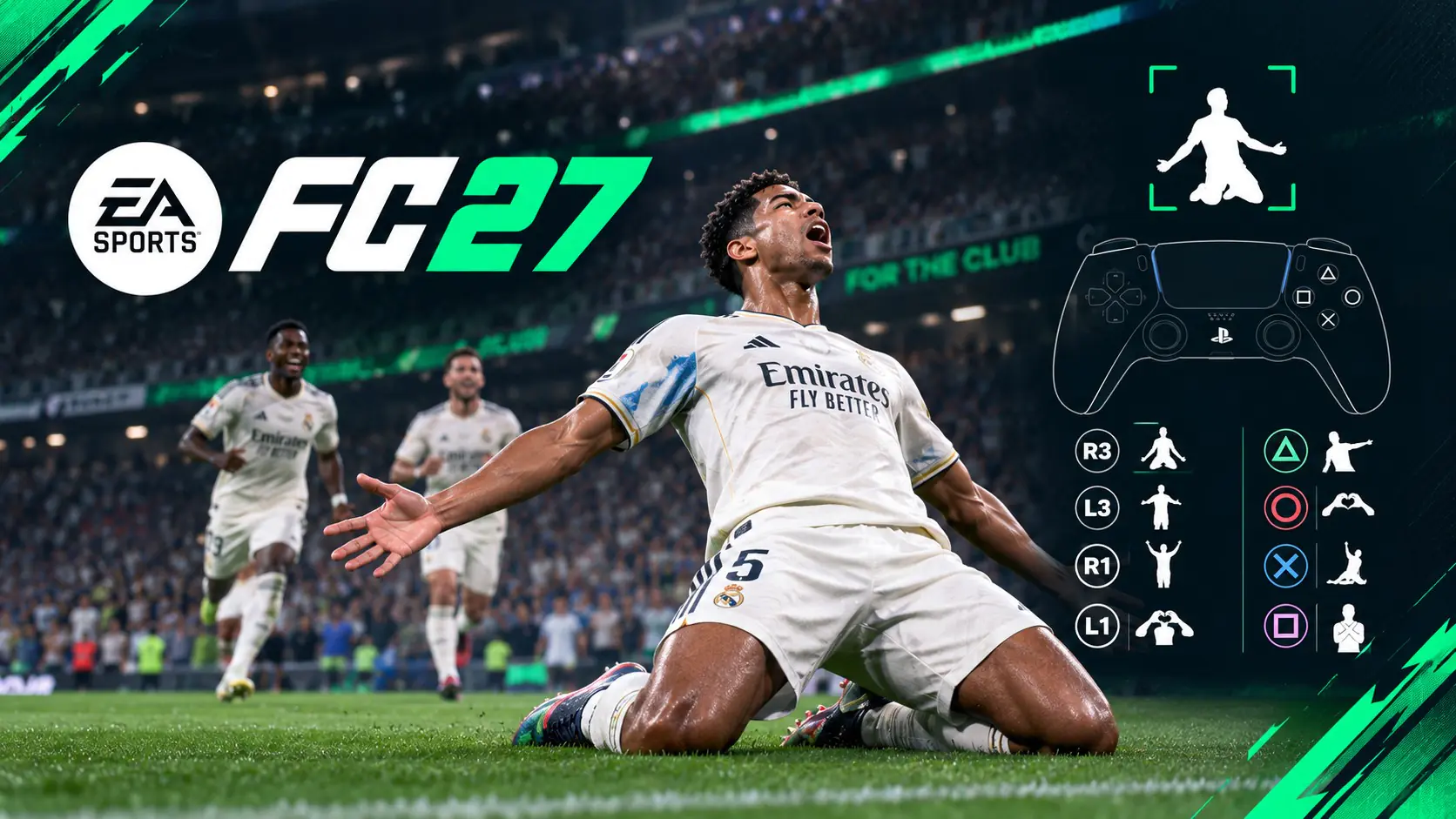
Table of Contents
- How does the celebration system work?
- Basic controls
- Running moves
- Finishing moves
- New celebrations in EA FC 27
- If you don't want to see your opponent's celebration
- If you can't celebrate
- Frequently Asked Questions
- Can you skip goal celebrations?
- How do you perform a random celebration?
- Have the commands changed from FC 26?
- PlayStation Store Gift Card
In EA FC 27, you can perform goal celebrations using the right analog stick and shoulder buttons. This guide covers the main controls, running and finishing moves, plus all the new celebrations introduced in this version.
How does the celebration system work?
Celebrations are triggered immediately after scoring by entering a button command. According to Destructoid, the system is divided into three groups: basic celebrations with face buttons, running moves with the right analog stick while sprinting, and finishing moves that combine L1, L2, R1, or R2 with right stick actions.
Running moves work when your player is still moving after a goal. Finishing moves start once the animation slows down. Locked celebrations (Pro and FC Unlockables) also use the same "trigger plus right stick" logic.
Xbox equivalents: Square = X, Triangle = Y, Circle = B, Cross = A, L1/R1 = LB/RB, L2/R2 = LT/RT, R3 = right stick press (RS).
Basic controls
| Celebration | PlayStation | Xbox |
|---|---|---|
| Signature Celebration | Cross | A |
| Random Celebration | Circle | B |
| Cancel Celebration | L1 + R1 | LB + RB |
Running moves
Perform these while your player is running after a goal. Right analog directions are the same on Xbox.
| Celebration | PlayStation | Xbox |
|---|---|---|
| Thumb Suck | Hold Square | Hold X |
| Arms Out | Press Square, then hold Square | Press X, then hold X |
| Wrist Flick | Press Triangle, then hold Triangle | Press Y, then hold Y |
| One Arm Raised | Hold Circle | Hold B |
| Finger Points | Press Circle, then hold Circle | Press B, then hold B |
| Aeroplane | Hold R3 | Hold RS |
| Point to Sky | Hold right stick up | Hold right stick up |
| Telephone | Hold right stick down | Hold right stick down |
| Can You Hear Me? | Hold right stick left | Hold right stick left |
| Hands Out | Push right, then hold left | Push right, then hold left |
| Come On! | Push left, then hold right | Push left, then hold right |
| Blow Kisses | Push down, then hold up | Push down, then hold up |
| Double Arm Swing | Push up, then hold down | Push up, then hold down |
| Flying Bird | Push right, then hold right | Push right, then hold right |
| Hand on Head | Push left, then hold left | Push left, then hold left |
| Heart Symbol | Push down, then hold down | Push down, then hold down |
| Arms Pointing Up | Push up, then hold up | Push up, then hold up |
| Windmill | Rotate right stick clockwise | Rotate right stick clockwise |
Finishing moves
For these, hold a trigger and perform a right stick action. "Twice" means push the stick twice in the same direction.
| Celebration | PlayStation | Xbox |
|---|---|---|
| Point to the Sky | L1 + Circle | LB + B |
| Show Respect | L1 + double tap Circle | LB + double tap B |
| Flex | L1 + Square | LB + X |
| All Ears | L1 + Triangle | LB + Y |
| X | L1 + push right stick down twice | LB + push right stick down twice |
| Who, Me? | L1 + hold right | LB + hold right |
| Baby | L1 + hold left | LB + hold left |
| Knee Slide Spin | L1 + rotate stick clockwise | LB + rotate stick clockwise |
| Arms to Crowd | L1 + rotate stick counterclockwise | LB + rotate stick counterclockwise |
| Spanish Dance | L2 + push right stick up twice | LT + push right stick up twice |
| Cell Phone | L2 + Square | LT + X |
| Hypnosis | L2 + Triangle | LT + Y |
| Think | L2 + double tap Square | LT + double tap X |
| Stir the Pot | L2 + double tap Triangle | LT + double tap Y |
| Cabaret | L2 + hold up | LT + hold up |
| I Can't Hear You | L2 + hold right | LT + hold right |
| Brick Fall | L2 + hold left | LT + hold left |
| Guitar | L2 + rotate stick clockwise | LT + rotate stick clockwise |
| One Eye | Hold R2, press R3 | Hold RT, press RS |
| Boxing | R1 + double tap Triangle | RB + double tap Y |
| The Salute | R1 + Triangle | RB + Y |
| Swagger | R1 + double tap Circle | RB + double tap B |
| Knee Slide | R1 + push right stick left twice | RB + push right stick left twice |
| Giant | R1 + push right stick up, then down | RB + push right stick up, then down |
| Hop and Point | R2 + push right stick left twice | RT + push right stick left twice |
| Slide Salute | R1 + hold right | RB + hold right |
| Slides and Kisses | R1 + hold down | RB + hold down |
New celebrations in EA FC 27
According to FIFAUTeam and FIFPlay, FC 27 adds around eleven new celebrations: Balance, Chair, Duel, Jump Dance, Motorbike, Nap, Power Slide, Round Up, Slide and Roar, Spin, and Walk. The button combos that appear the same across sources are:
| Celebration | PlayStation | Xbox |
|---|---|---|
| Motorbike | L2 + right stick up, then down | LT + right stick up, then down |
| Walk | L2 + push right stick left twice | LT + push right stick left twice |
| Nap | R2 + push right stick up twice | RT + push right stick up twice |
| Round Up | R1 + right stick right, then left | RB + right stick right, then left |
| Balance | R1 + double tap Square | RB + double tap X |
| Chair | R1 + hold up | RB + hold up |
| Power Slide | R1 + hold left | RB + hold left |
| Spin | R1 + rotate stick clockwise | RB + rotate stick clockwise |
| Slide and Roar | R1 + push right stick down twice | RB + push right stick down twice |
| Duel | L1 + press R3 | LB + press RS |
Balance, Chair, Nap, Power Slide, Spin, Slide and Roar, and Duel are listed as "Unlockables" in-game. You may need to unlock these before you can use them.
If you don't want to see your opponent's celebration
You can't skip your opponent's celebration directly, but you can change the camera. According to FIFAUTeam, go to Settings, Game Settings, Visual and set "Celebration Camera Focus" to "User Controlled Team". This way, the celebration camera will only focus on your team.
If you can't celebrate
- Enter the command immediately after scoring. Running moves won’t work once the animation has stopped.
- For running moves, your player must still be moving.
- For a selfie, your player needs to be near the ad boards.
- Some moves are exclusive to certain players. Signature finishing moves only work with specific superstars.
Frequently Asked Questions
Can you skip goal celebrations?
Yes. Right after scoring, press L1 + R1 on PlayStation or LB + RB on Xbox.
How do you perform a random celebration?
Press Circle on PlayStation or B on Xbox. The game will pick an unlocked celebration at random.
Have the commands changed from FC 26?
According to Games.gg, celebrations carried over from FC 26 use the same commands. New celebrations are listed in the table above.
To boost your squad for the new season or get in-game content, you can top up your funds with a PlayStation Store gift card.
lotkeys
PlayStation Store Gift Card
Get your funds ready for FC 27 content and other games. Your code is delivered instantly via email.
View Card WoW Forever Beginner’s Guide: Best Race and Class to Start With
Read this before creating your first character in WoW Forever. Discover the best beginner classes, all races including Skyborne, updated racial bonuses, and the top race for each class.
 GTA 6 Release Time Revealed: Pre-Load Date and File Size Announced
The countdown for GTA 6 has begun. Find out when pre-load opens on PS5 and Xbox, how much storage you’ll need, and exactly when you can start playing on November 19.
 WoW Forever Launches Smoothly: What Happened on Blizzard’s Calmest Release Night?
World of Warcraft: Forever is live, and servers performed better than expected. Learn about launch queues, the ruleset error, the first legendary weapon, and how to get started.
 PUBG x IVE Collaboration: New Sets, IVE Spots and Key Dates Revealed
K-pop group IVE has arrived in PUBG: Battlegrounds with update 44.1. Discover the new IVE Spots in Rondo, member sets, free events, and all the key dates.
 Phantom Blade Zero Patch Notes: Faster Startup, Hua Boss Tweaks, and Bug Fixes
S-Game has released patch 1.0302256 for Phantom Blade Zero. Discover new audio settings, faster shader compilation on PC, and changes to the Hua boss fight.
 Zelda: Ocarina of Time Remake Reviews Are In: 96 Score Tops the Year
The Switch 2 remake of Ocarina of Time has received top marks from critics. Discover its review scores, new features, and how it compares to the original.