





Secure Shopping
Products from authorized providers at fair prices.
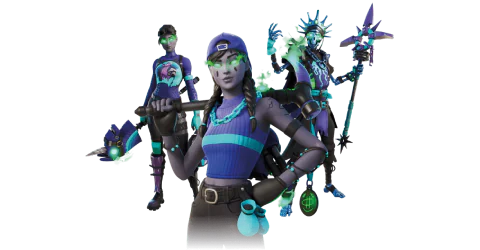
Ready to hit the battlefield with a fresh and fierce look? The Minty Legends Pack brings back some of Fortnite's most beloved characters with a cool, mint-inspired, and eye-catching theme. This massive content bundle doesn't just upgrade your style – with 1,000 V-Bucks, it opens up a world of new season possibilities.
Get this legendary pack for Xbox at the best price on the market, exclusively with Lotkeys.com, and stun your opponents with a frosty flair!
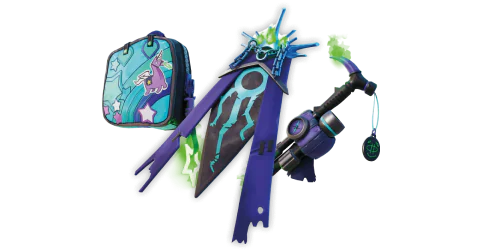
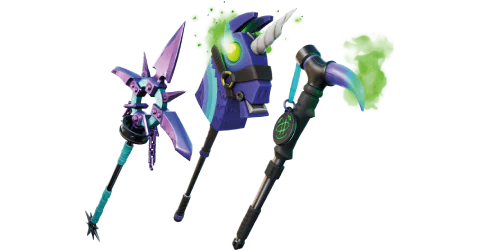
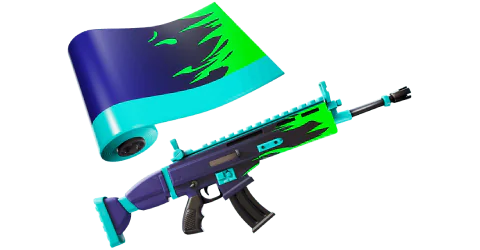
The Minty Legends Pack is a huge collection featuring 3 complete sets (outfits, back blings, pickaxes), a weapon wrap, and a generous amount of V-Bucks:
Fresh Aura: The classic Aura, now fresher and more modern than ever.
Minty Bomber: The icy, dark mint version of Brite Bomber.
Skellemint Oro: The golden king Oro, now revived as a minty-fresh skeleton!
Minty Multipack: The perfect match for Fresh Aura.
Spearmint Satchel: Completes Minty Bomber’s frosty style.
Minty Mantle: Adds a touch of royalty to Skellemint Oro.
Minty Mountaineer Pickaxe
Freshbreaker Pickaxe
Triple Mint Scepter Pickaxe
Fire Mint Wrap: Give your weapons and vehicles a blazing minty finish.
1,000 V-Bucks: Spend your V-Bucks in Battle Royale or Creative modes!
The included 1,000 V-Bucks are instantly added to your Fortnite wallet. With this amount, you can:
Purchase the latest Battle Pass,
Unlock new emotes, gliders, or exclusive wraps from the store,
Fully customize your character.
Turn on your Xbox console and make sure you are signed in with your Microsoft account.
From the Home screen, go to the Microsoft Store.
In the Store menu, select the “Redeem Code” option.
Carefully enter the 25-character digital code you received from LotKeys.
Confirm your entry to activate the product. Once your code is redeemed, your digital content will appear automatically in your Xbox library or in the “My Games & Apps” section.
If you don’t see the new content right away, restart your console—after logging in again, it will sync automatically.
Tip: Make sure your Xbox region matches the code’s region (such as EU, US, or Global); otherwise, you may need to update your account settings before redeeming.
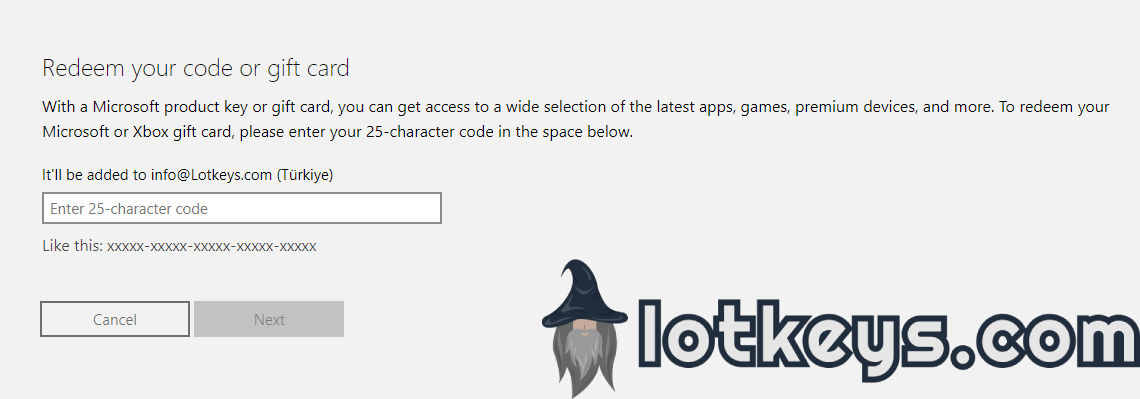
From any device (PC, tablet, or mobile), visit redeem.microsoft.com.
Sign in using the Microsoft account linked to your Xbox.
On the code redemption page, enter or paste your 25-character key.
Click the Next button, review the product details, and confirm the redemption.
The redeemed game, points, or subscription will automatically sync to your Xbox console the next time you sign in.
Extra Tip: Online code redemption is fast and convenient—no console required. It’s ideal if you’re gifting a digital key to a friend or setting up a new console remotely.
Products from authorized providers at fair prices.
24-Hour Nonstop and Fast Delivery Service.
24/7 Support Center
100% Satisfaction Guaranteed
Fortnite: The Minty Legends Pack (Xbox) Comments